
Top 5 ways to get IT news
Top 5 ways to get IT news
We have multiple easy ways for faculty, staff, and students to get plugged into what’s going on in IT. No matter how you prefer to ingest information, we have an avenue for you – from short snippets to longer infodumps to video content. Let’s get connected!
1. Subscribe to the Weekly IT Update
This is a weekly newsletter filled with tidbits of tech talk that goes out every Monday (barring holidays). Guaranteed to take less than 5 minutes to read and chock-full of interesting news!
2. Follow us on Social Media
Believe it or not, Miami’s IT Services is on all your favorite social platforms. On Instagram, find us posting photos of our data center shenanigans and fun tips for getting the most out of Miami technology; look for us on Facebook and X for helpful tutorials and news.
We also encourage you to follow us on YouTube for both long- and short-form content.
3. TechTalk: Monthly IT newsletter
Each month, IT sends out a newsletter full of information about technology at Miami. Geared toward faculty and staff, this email digest includes links to articles on our IT news site and includes both human interest stories and upcoming maintenance notices alike. Faculty and staff are automatically signed up for TechTalk – no need to do anything!
(Students can also subscribe to TechTalk! If you or someone you know is interested, please share this link.)
4. Is it down? Check IT Status
Having trouble reaching a Miami service like Canvas or Workday? This should be your first stop. If there’s a current issue with the service, it will be posted to our status page. Here, we list major systems and services with a corresponding health color – red for down, yellow for intermittent, and green for online!
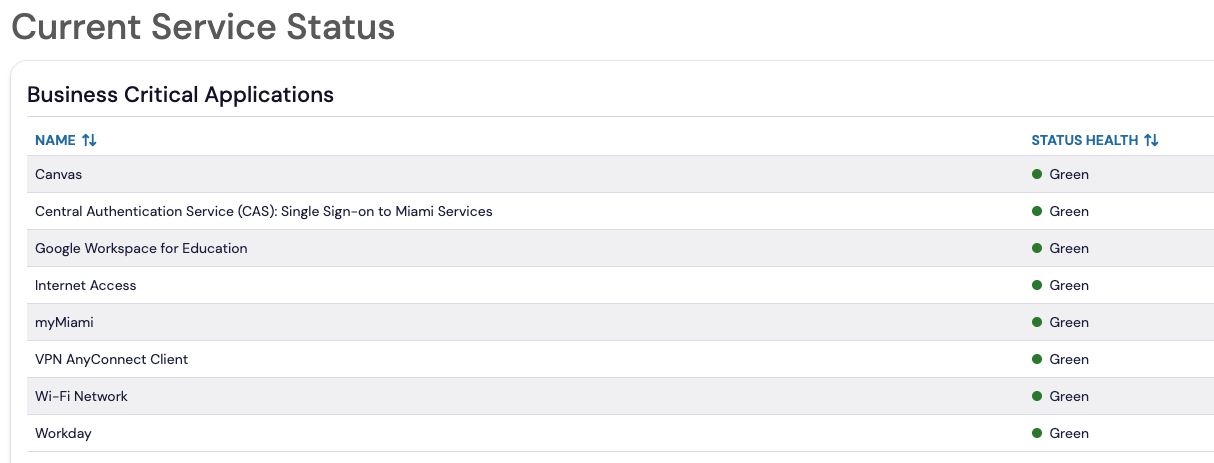
If all signs are green after you’ve looked at the IT Status page, then you know it’s time to call IT Help!
We also use this site as a bulletin board for upcoming maintenance activities and current outages. Visit MiamiOH.edu/ITStatus today!
5. Received a weird email? Go ‘phishing’ at the Phish Bowl
Beyond the clever title (which we cannot take credit for), this website serves several purposes. As we experience phishing attacks and various cybersecurity incidents, information about these incidents is posted to the site.
 That’s not all—if an email goes out from a Miami office that we get a lot of calls about (it does happen!), we will also record that on this list as not phishing, so that you know you can safely open the message.
So, long story short: If you receive a weird email, check the Phish Bowl!
Bonus: Get to #KnowIT with the Knowledge Base
Of course we can’t go this whole article about tech know-how without mentioning the Knowledge Base. It’s right there in the name! Our KB is meticulously maintained to keep our tutorials and instructions as current as possible. It contains around 1,000 articles of common – and uncommon! – issues and questions that you may have about Miami technology. You can find all of this great information at MiamiOH.edu/KnowIT.